User Interface (UI) is often mistaken for the visual design appearance of a site. In reality the UI is the presentation, format and layout of the tools and information – it is the structure or bones of a site. Designers need to consider how the user will interact with the site and design according to those needs. UI needs to be familiar to an extent, if the interface is new and unusual the user may get confused, lose interest and leave the site. It should require effortless navigation and interactivity by the user, which has been carefully planned mapped.
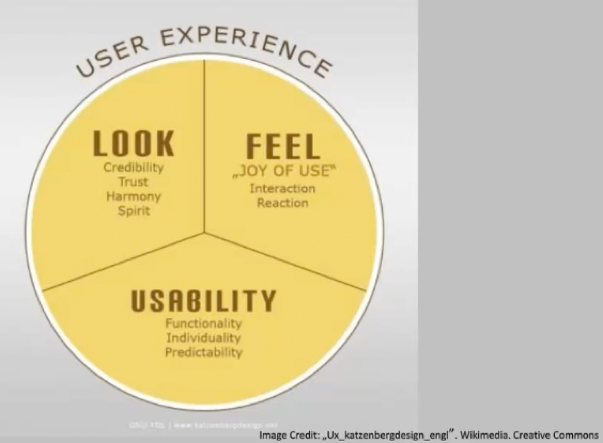
The User Interface (UI) should heighten the User Experience (UX)
Tabs
- Come from the real world
- Skeuomorphism
- When: content needs to be separated into sections
- When there is 2-9 sections of flat navigation mode
- Section names are short
- Entire width of the page
Drop Down
- Space is limited
- Not regarded as a technique that increases usability – can be difficult to use
- Save space
- 2-9 sections of content
- functionality resembles a desktop navigation
- don’t use when you need to single out the section of the site – use tabs
- fly out from the side (hamburger)
- quick access
Search bar with dropdown
- quick
- hierarchy can get in the way of the user’s intentions
- short cut
Big footer
- by pass the top nav
- specific page of functions that are more frequently used
- short cuts!
- Sign of poor nav
Home
- ‘go back to a safe place’
- the logo is usually linked
- safe
- always need one
- should always be in the same location on all pages! – don’t move the home button
Breadcrumbs
- needs to know their location
- minimal space
- hint to the structure of the website
- current locations place in the hierarchy of the website
- strict structured websites
- lots of sections that are divided
- DETAIL
- Together with other navs
- Don’t use it alone
Content nav patterns:
Carousel
- Browse through a set of options
- Tease the user – there is more than you think
- Space saving
- Need to indicate where you are – how many cards
Tags
- Categories
- Etc.
Waterson, S. (2019). GDIDMPOD07a [Online Lecture]. Retrieved from https://vimeo.com/319376545
 Interactive Design Media